
In order to view Sales History:
Step 1: From your Store Admin site, select Sell Order section at the left menu. Sell Order Listing will be presented.
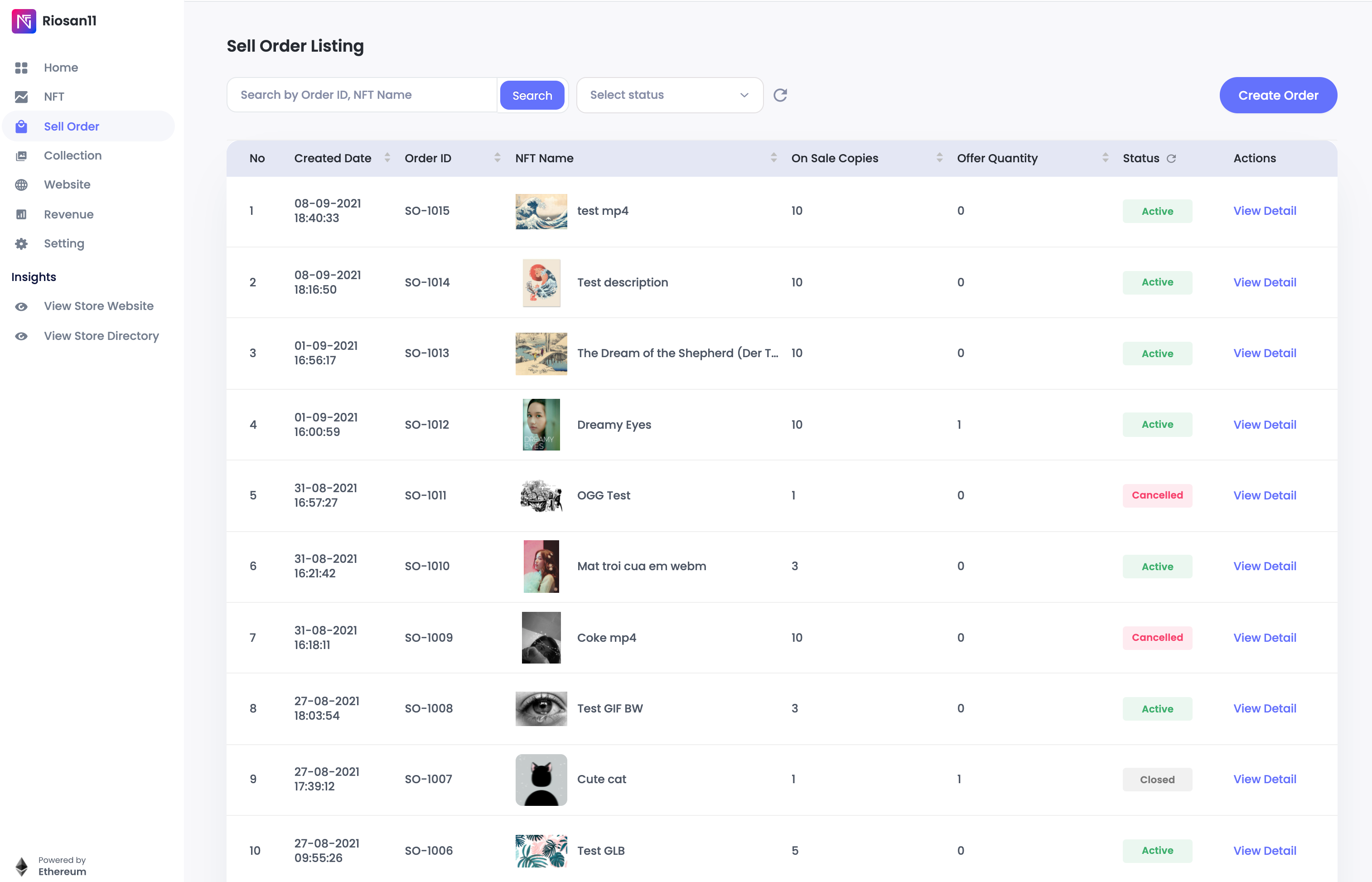
Step 2: Click on View Detail to see details of your expected Sell Order
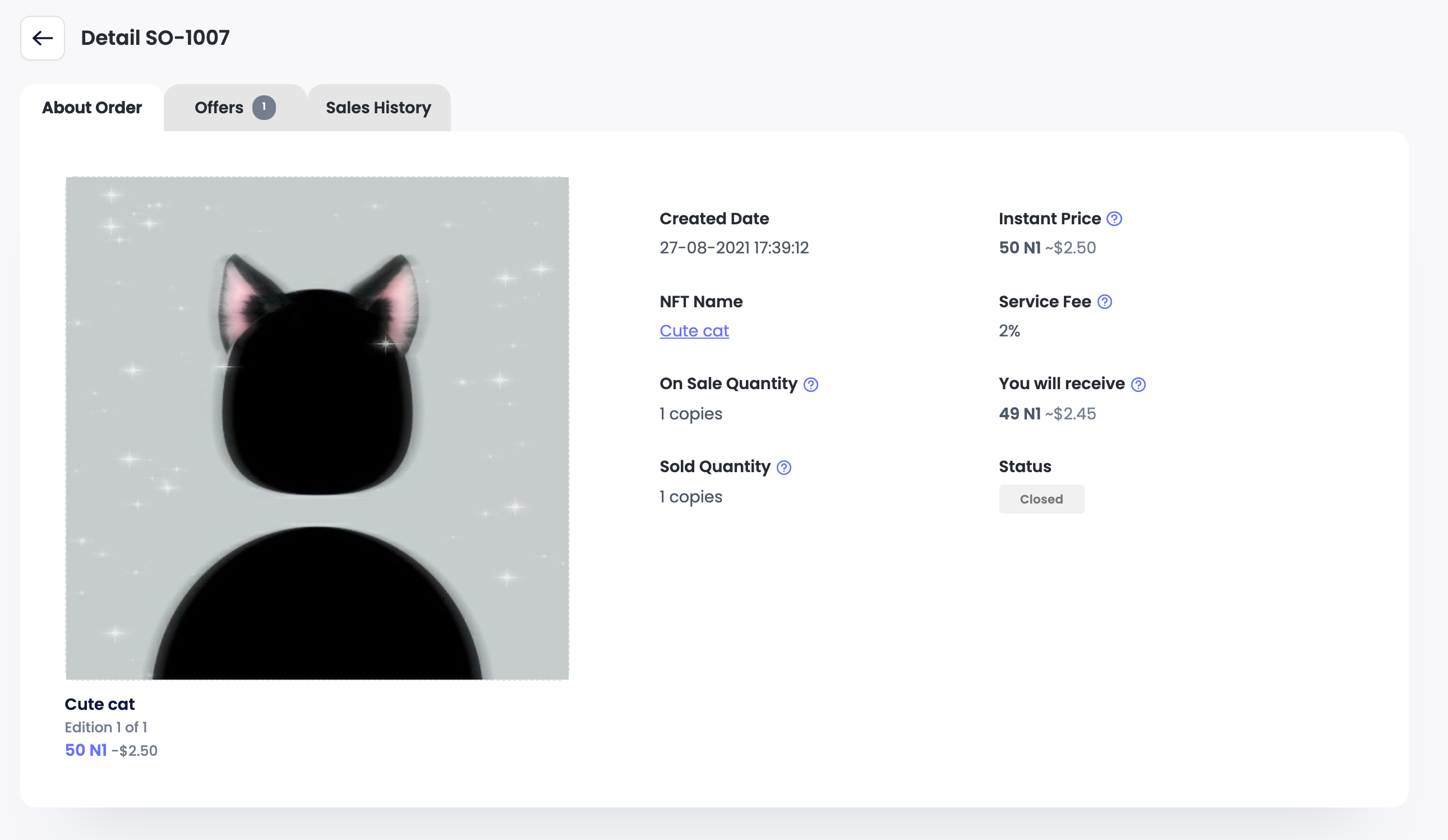
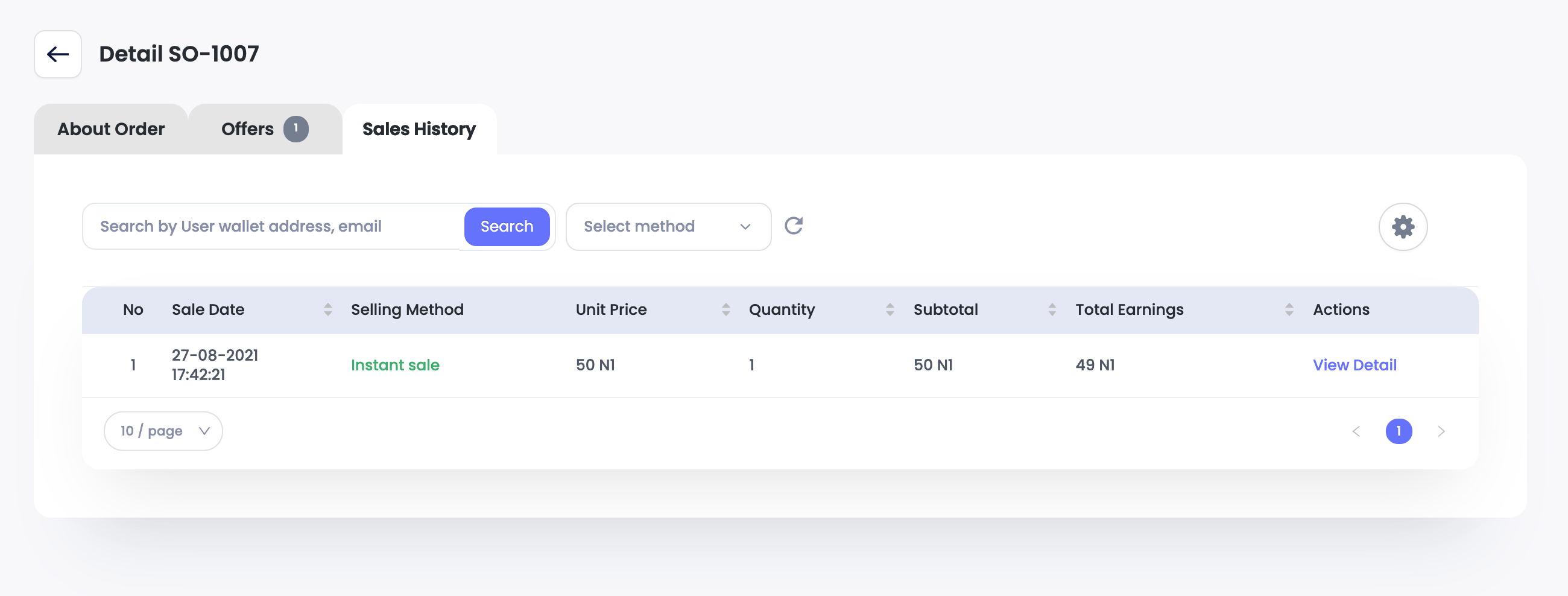
Step 3: Select Sales History tab to view all transactions of this specific Sell Order
Comments
0 comments
Please sign in to leave a comment.